To learn how to integrate Memberflow into your existing website, follow the instructions below.
There are three places you would need to integrate your existing website with Memberflow. See diagram below.
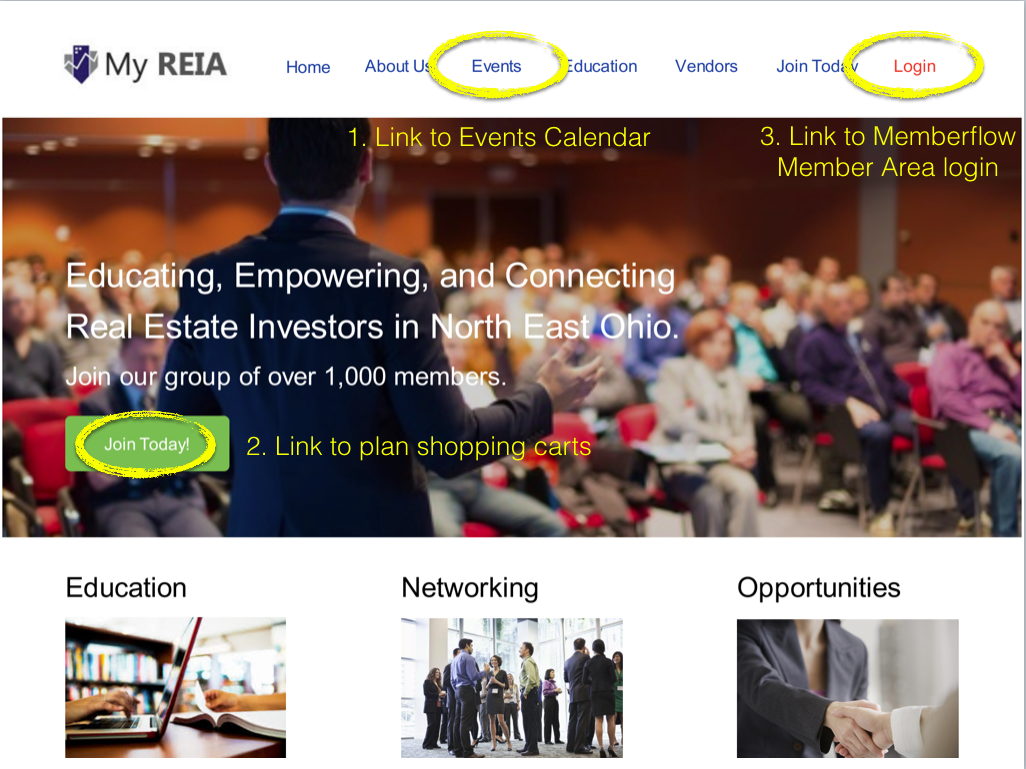
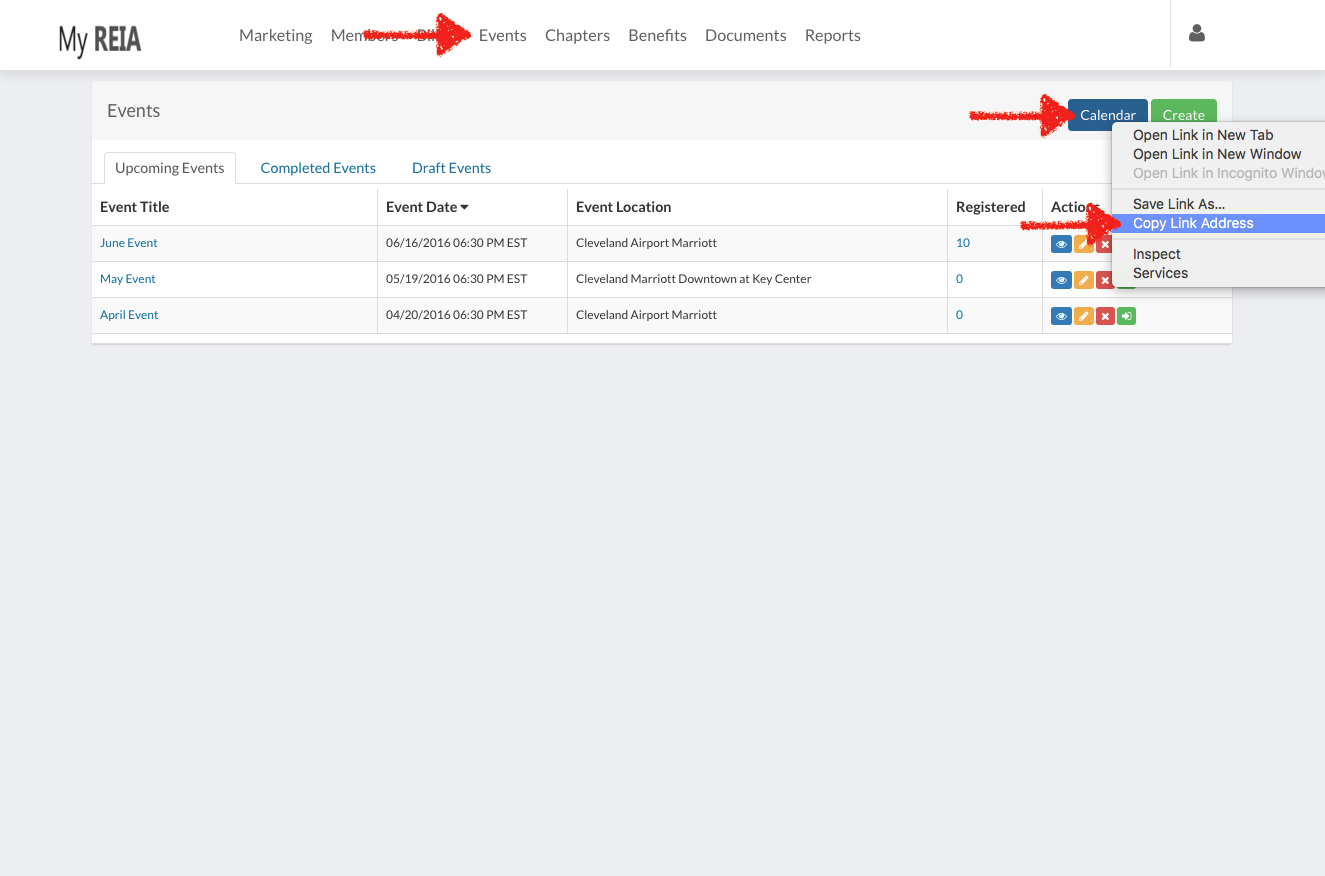
1. Grab the 'Calendar' link in the Events > View All section of Memberflow and hyperlink your 'Events' link to the calendar. You can find the 'Calendar' link here.
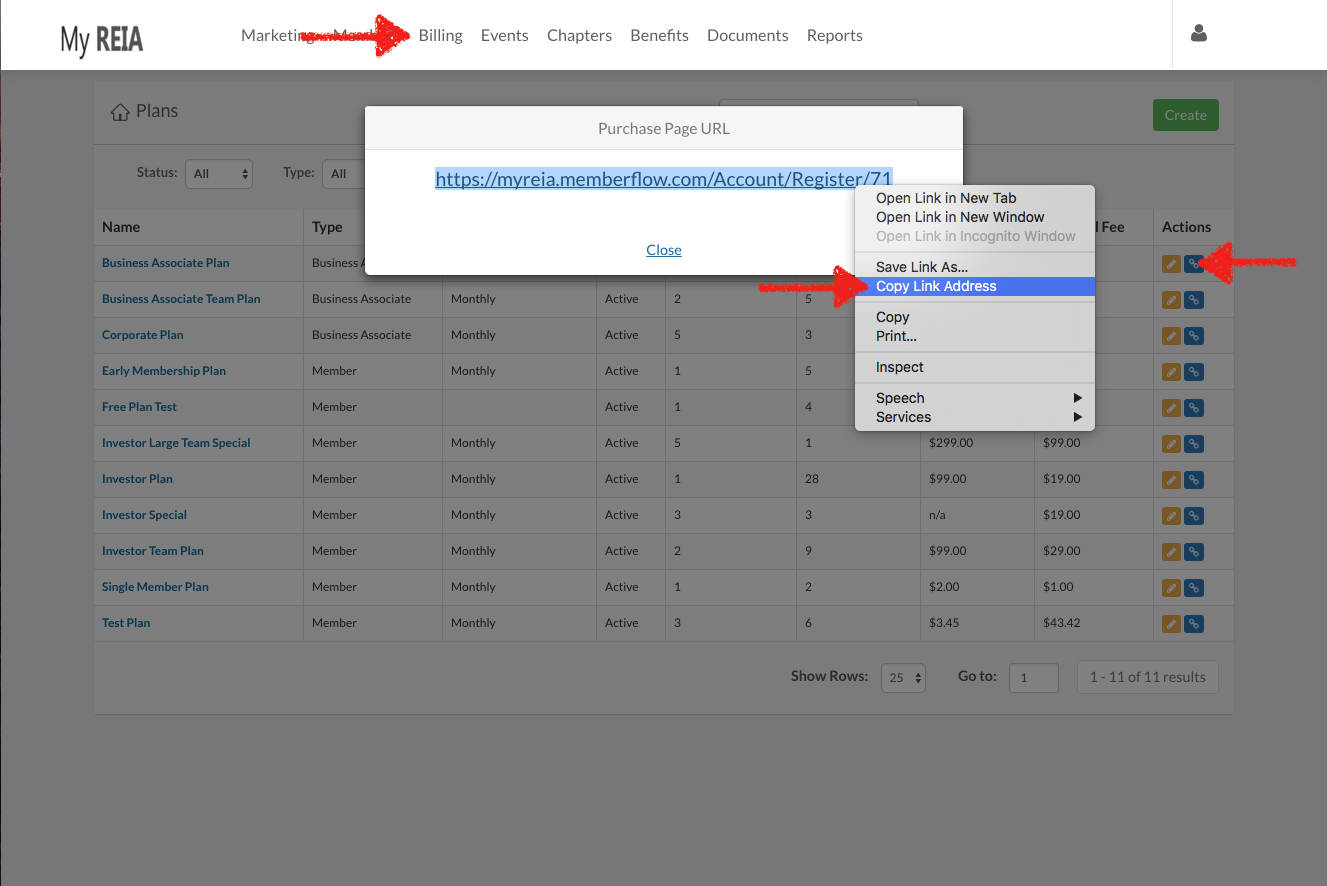
2. Grab your plan shopping cart links in the Billing > View Membership Plans section of Memberflow by clicking the blue shopping cart link icon. Then hyperlink your purchase buttons to the memberflow shopping cart. You can find your shopping cart links here.
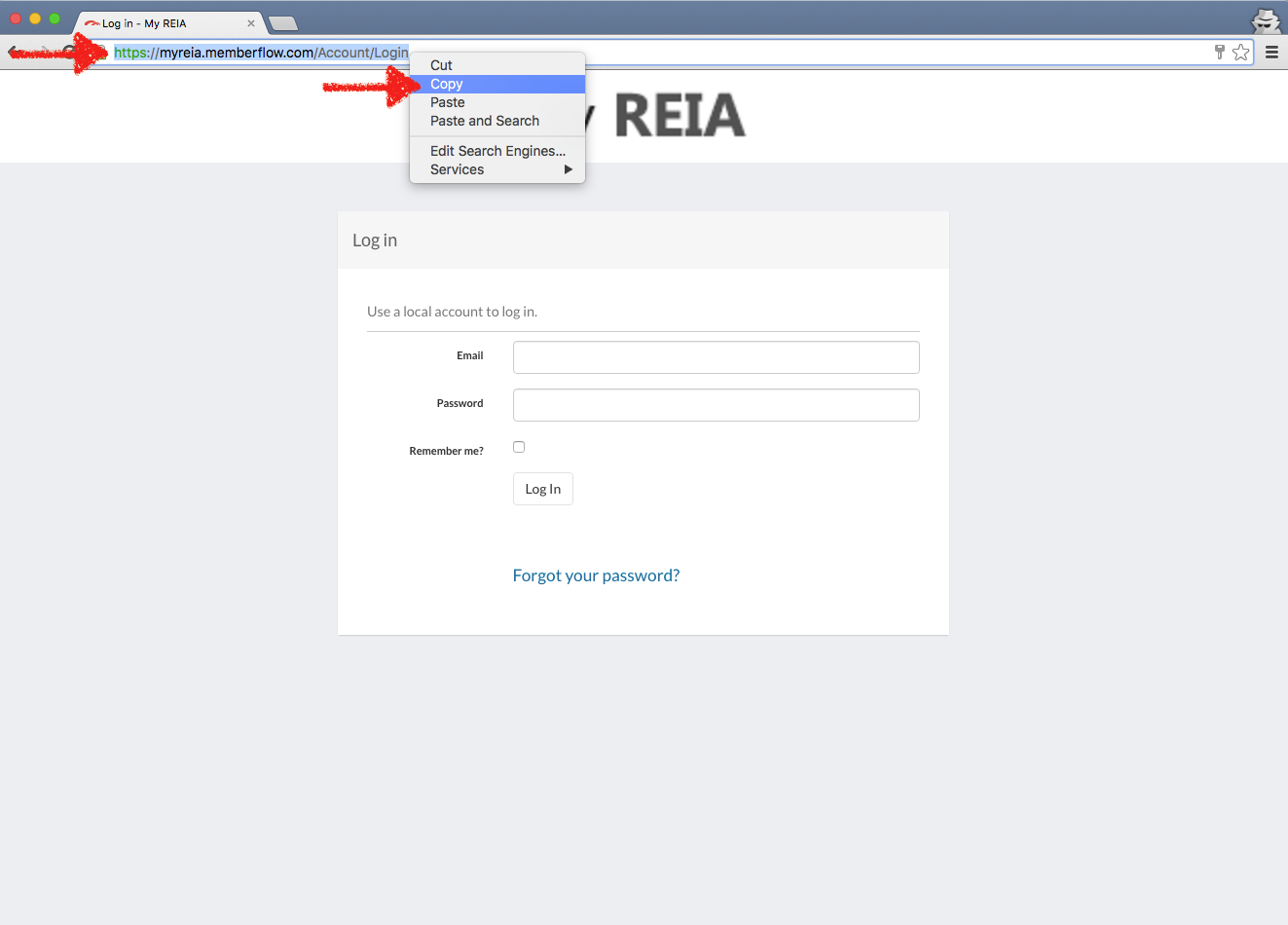
3. Link your Login button to your Memberflow login area. Your memberflow login area is https://yourreiaURL.memberflow.com/account/login. Replace the "yourreiaURL" with your reia url name. If you are unsure of your login url, please check with your Memberflow account representative.
0 Comments